



How to pay at FRAG
Checkout has two parts: your details and delivery, then payment. You pay right on frag.id, and your card details go straight to Xendit, our payment provider. Pay within 10 minutes, or within 1 hour at a minimarket.
5 steps · Updated 15 Nov 2026
Step 1
Enter your delivery details
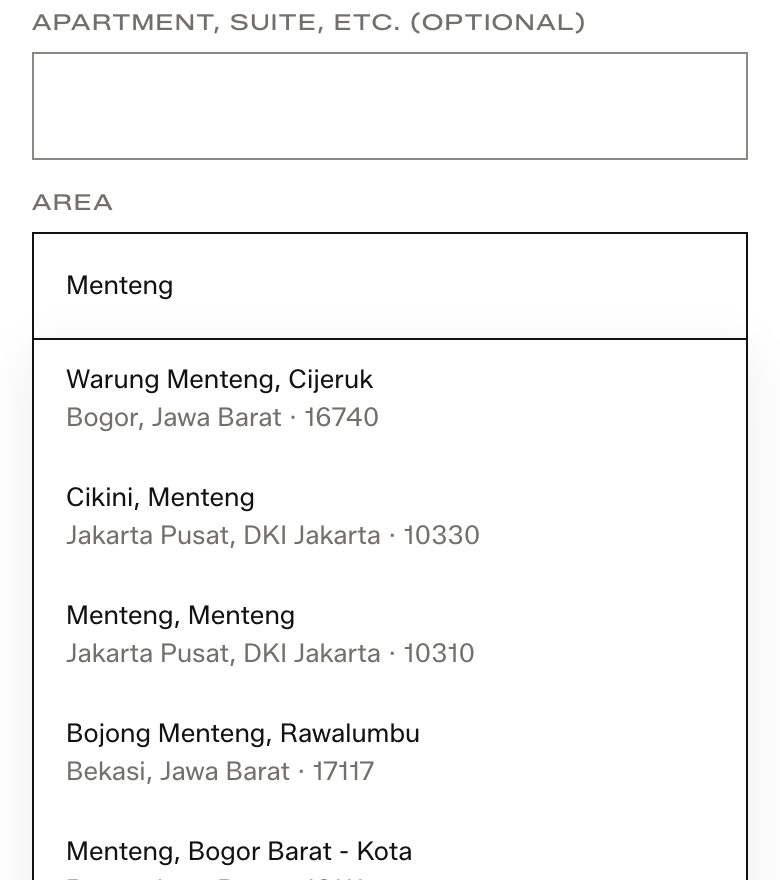
Fill in your email, name and address. In Area, type your kelurahan or kecamatan and pick it from the list. Add a phone number for the courier too.
Step 2
Choose a courier
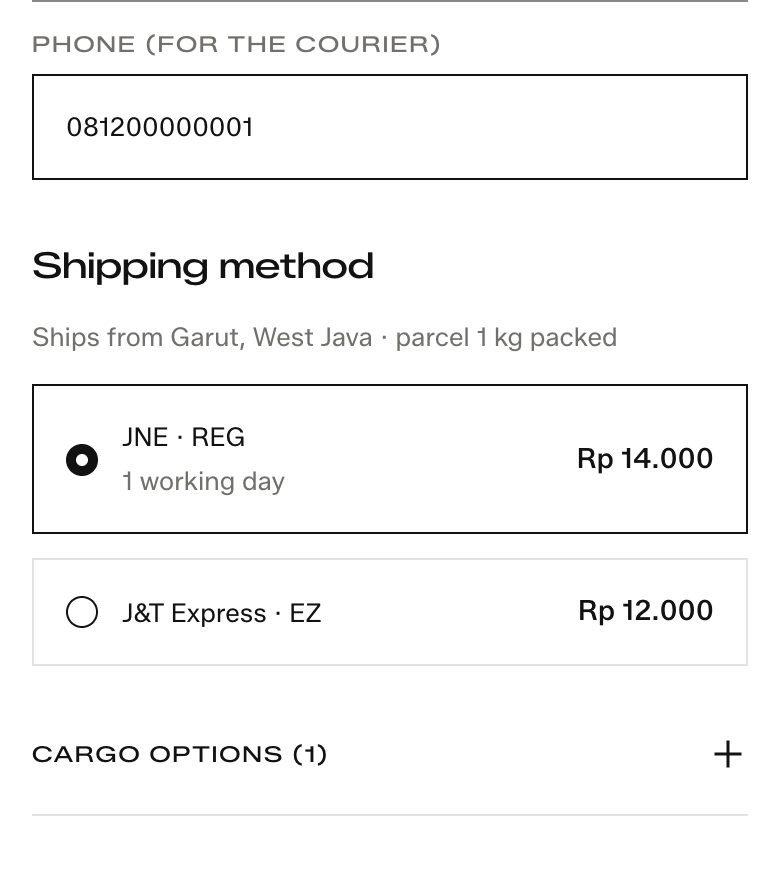
Shipping options and their prices appear once the area is set. Pick the one you want. For an address in Garut you can also collect your order at FRAG Garut.
Step 3
Go on to payment
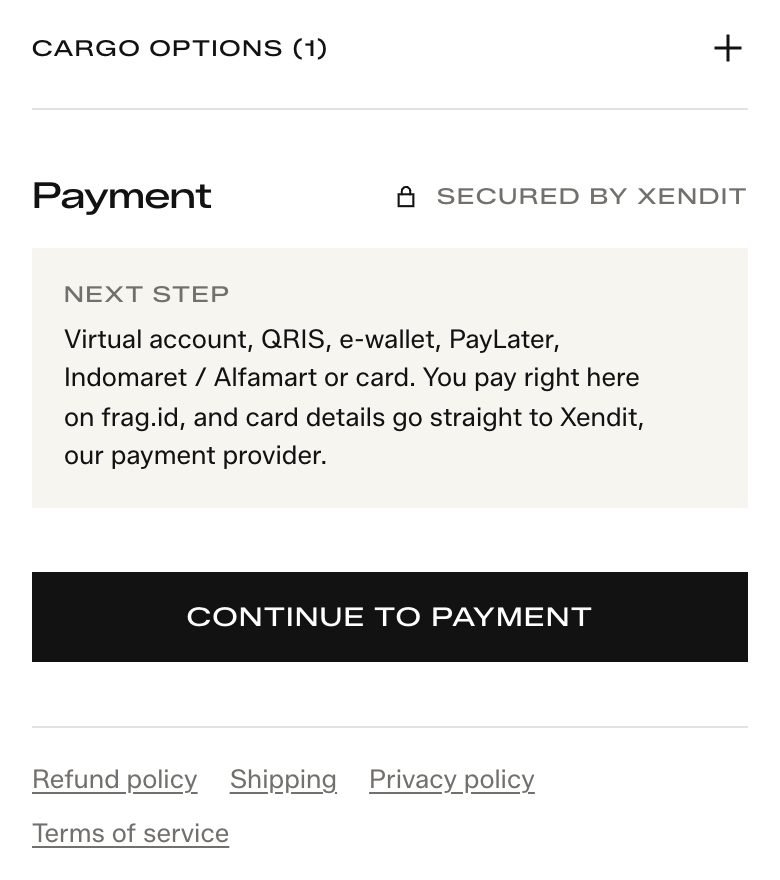
Check your details, then tap Continue to payment. Your order is created and we hold the stock for you.
Step 4
Choose how to pay
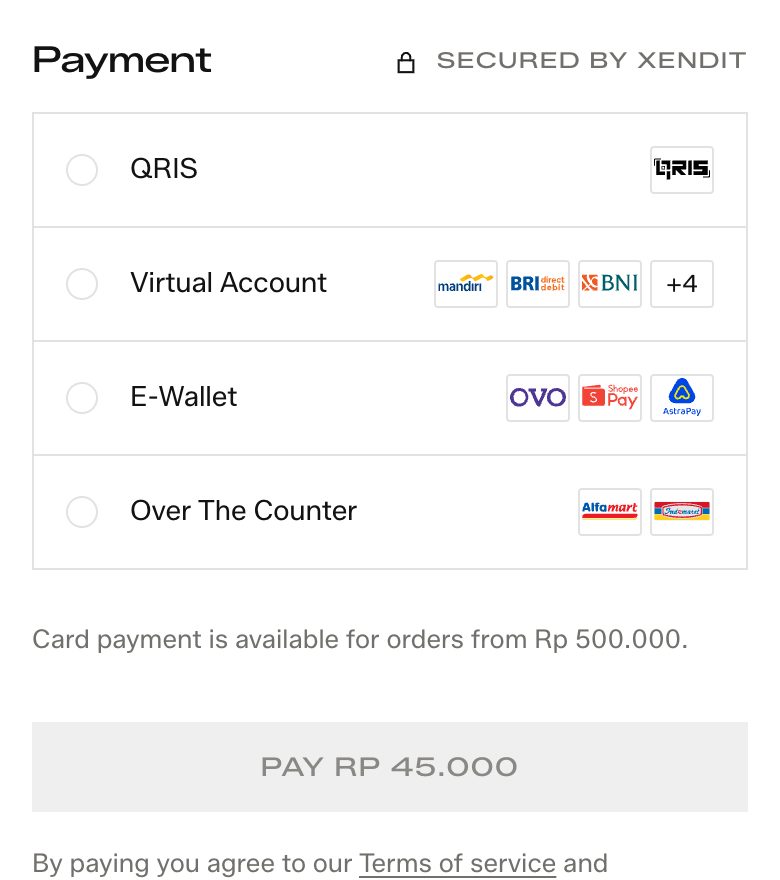
Choose QRIS, a virtual account, an e-wallet or Over the Counter (Alfamart or Indomaret), then tap Pay. Card payment is open for orders from Rp 500.000.
Step 5
Pay before the time runs out
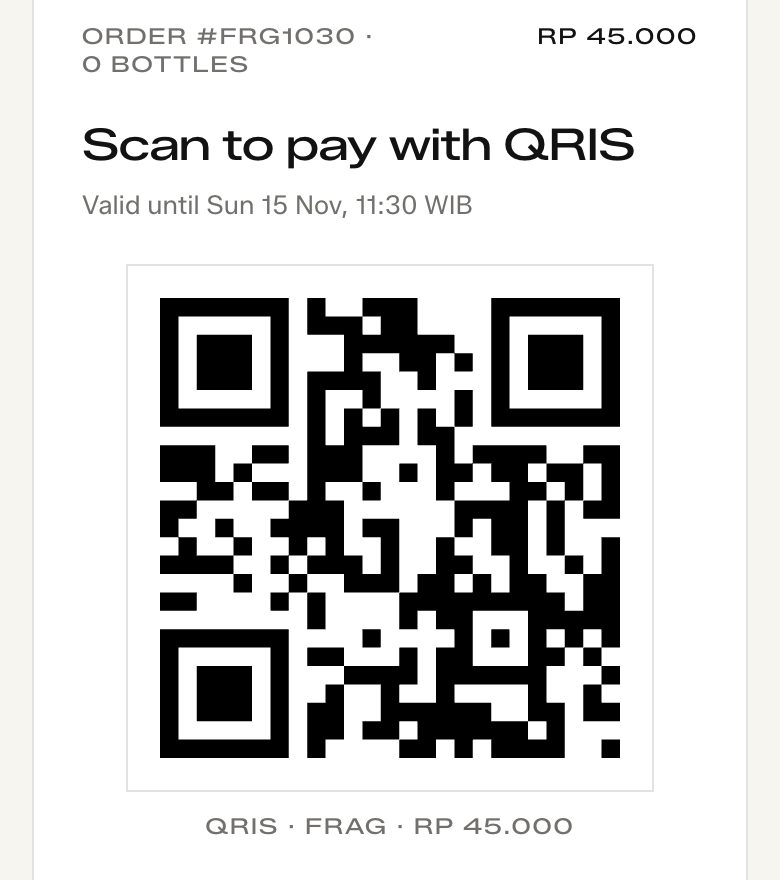
With QRIS, scan the code in your banking or e-wallet app. The page shows until when the code is valid, and it changes by itself once your payment is in.
More guides
Still unsure? Ask an advisor (we reply within one working day).