



How to become a FRAG member
Every FRAG account is a member account, and it is free. Sign in with your email, no password: we send you a 6-digit code and your account is created right away.
4 steps · Updated 15 Nov 2026
Step 1
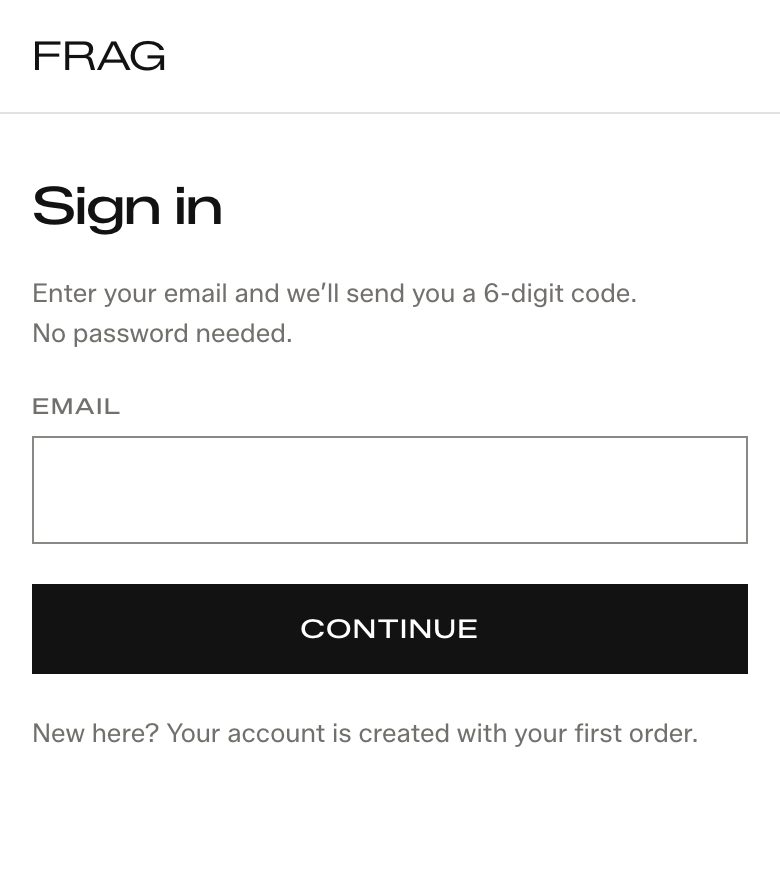
Open Sign in
On your phone, open the menu (≡) and tap Account. On a computer, tap the account icon at the top right.
Step 2
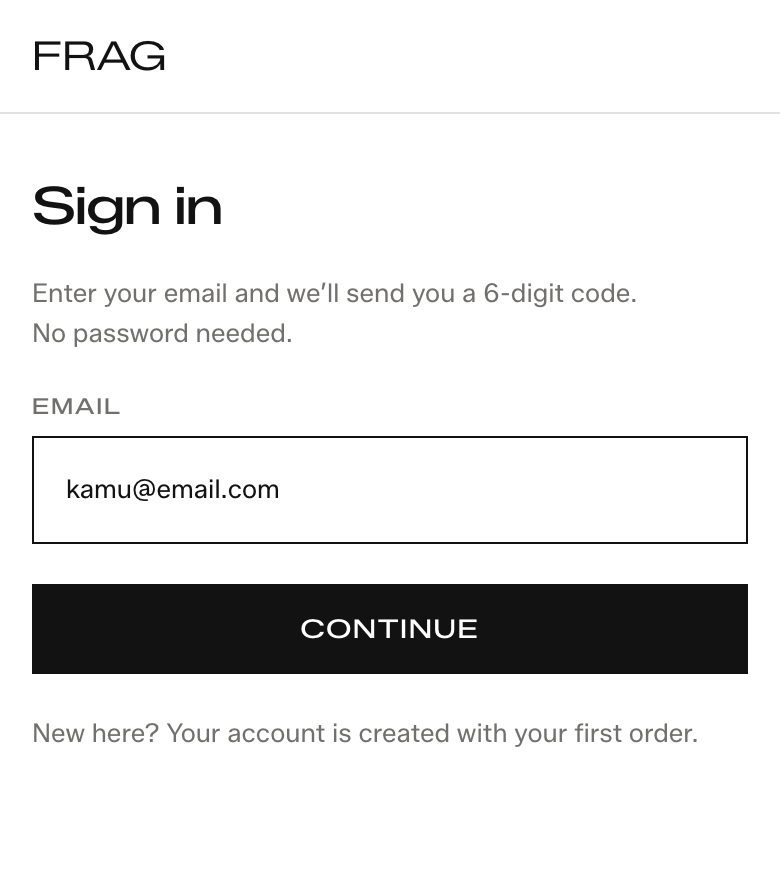
Enter your email
Type your email and tap Continue. You don’t need a password.
Step 3
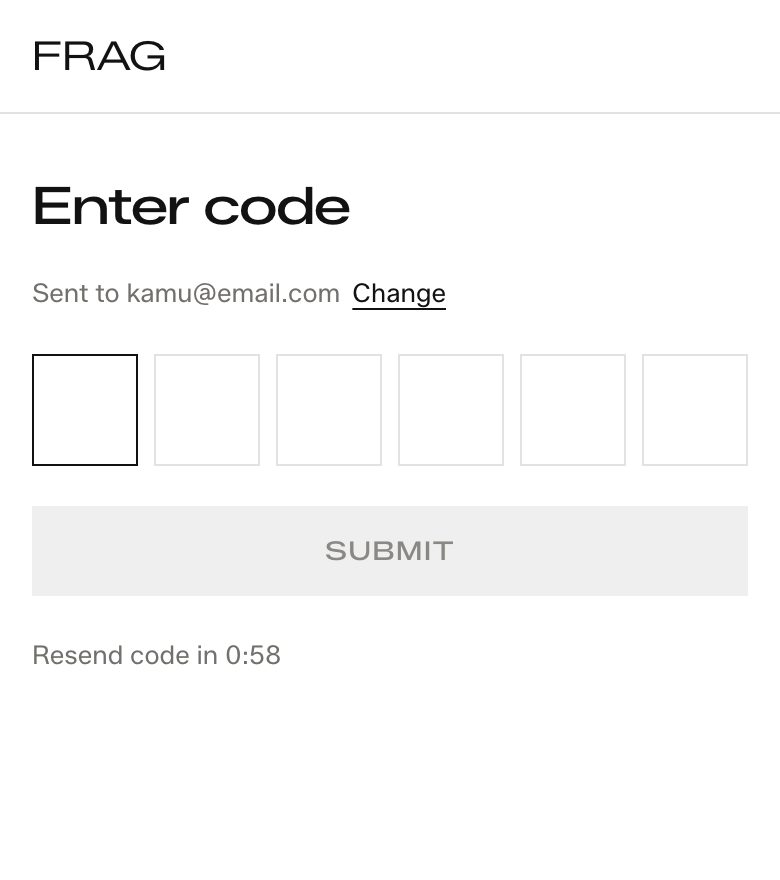
Type the 6-digit code
Open the email from FRAG and type the code. It works for 10 minutes; if it doesn’t arrive, you can ask for a new one after a minute.
Step 4
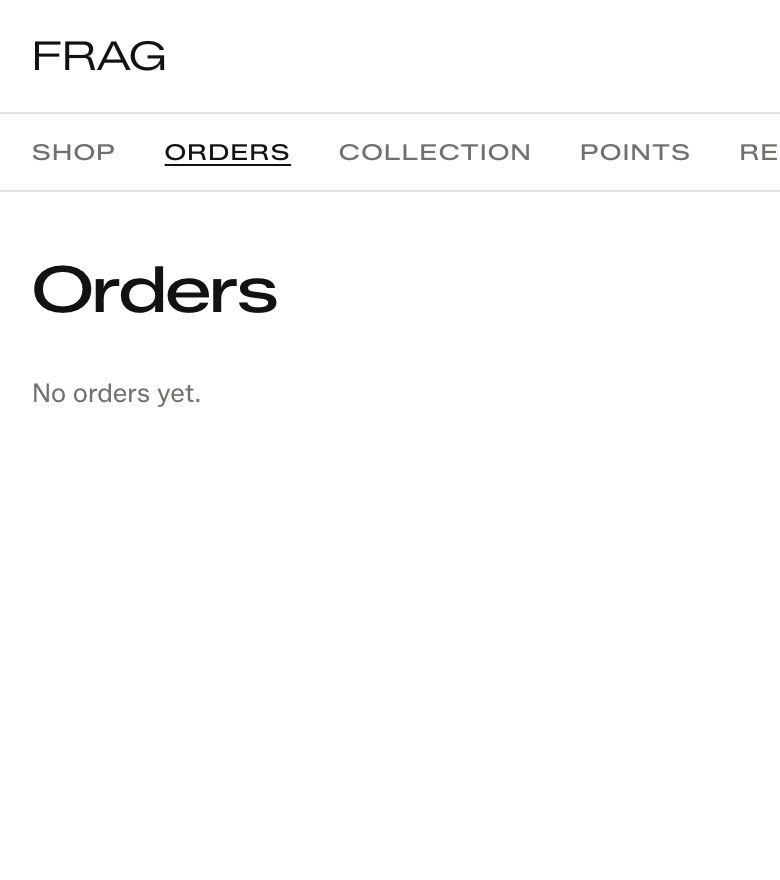
You’re a member
Your account is created as you sign in. In it you find your orders, collection, points and affiliate link.
More guides
Still unsure? Ask an advisor (we reply within one working day).