


How to use your affiliate link
Every member has an affiliate link. When someone buys through your link within 30 days, you get points worth 5% of the product value. Your own orders don’t count.
3 steps · Updated 15 Nov 2026
Step 1
Find your link
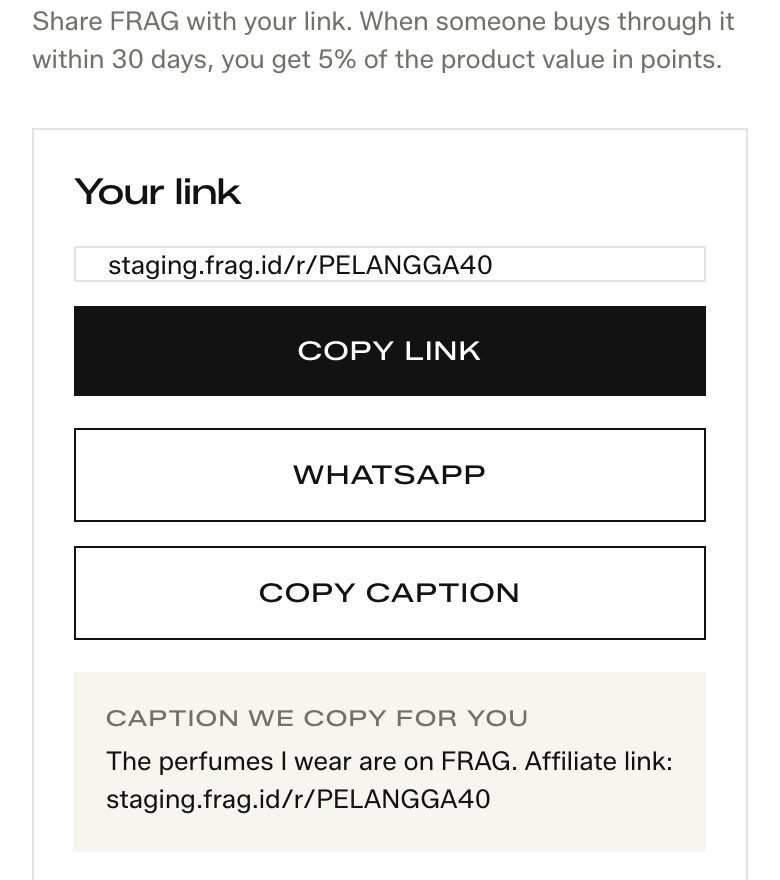
Open Account › Affiliate. Copy the link, send it on WhatsApp, or copy the ready-made caption.
Step 2
Share a product
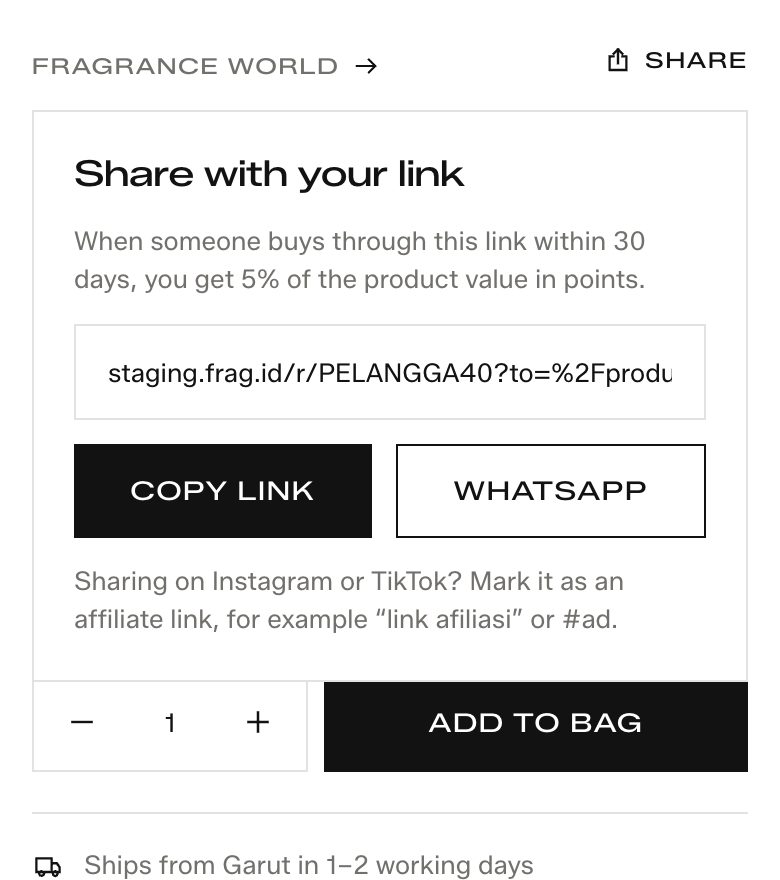
On a product page, tap Share. When you are signed in, the link you share is your affiliate link to that product.
Step 3
Follow the results
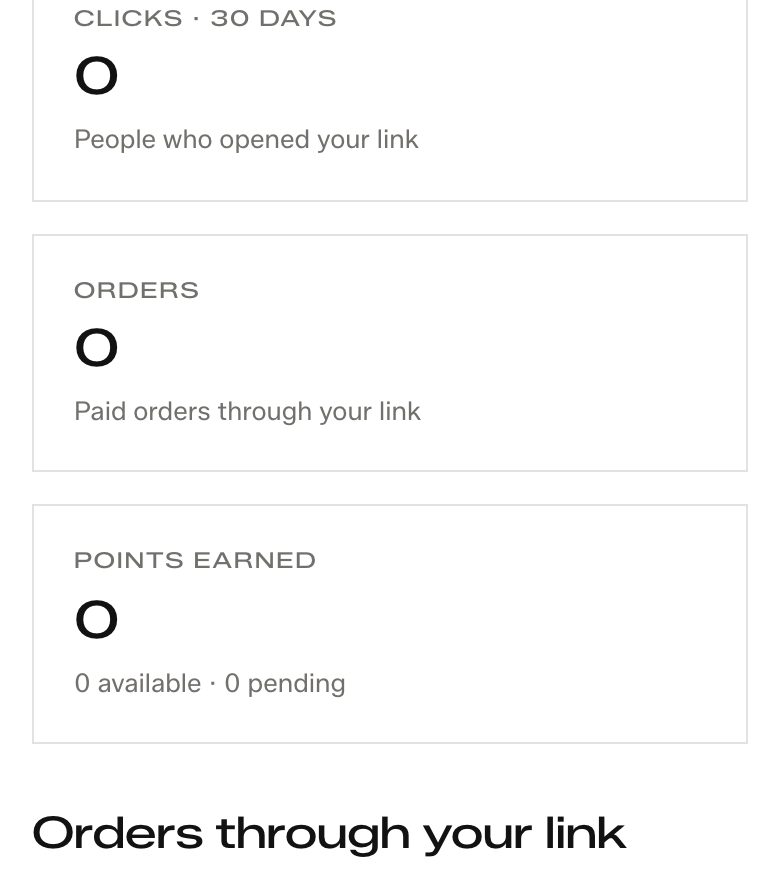
Back on the Affiliate page you see clicks in the last 30 days, orders through your link and the points you collected. We never show who bought.
More guides
Still unsure? Ask an advisor (we reply within one working day).